


Now Live: McMurry Print Portal

Strategic Communications & Marketing is excited to introduce the McMurry Print Portal, a new system for ordering official university print materials on demand.

The portal replaces the ordering process previously handled by the Campus Center Print Shop and features refreshed designs for business cards, name tags, letterhead, notecards, envelopes, and pocket folders. All items are designed to support a professional, cohesive McMurry look, with built-in personalization options and quick, convenient ordering.

This new system is designed to streamline ordering and improve access to approved, on-brand materials. If you have questions or need assistance as you begin using the portal, please get in touch with Katelyn Scott (scott.katelyn@mcm.edu).

Please note: The Print Shop will continue to provide basic printing services.

McMurry Print Portal Login

Brand Standards & Visual Identity

McM Logos
Athletic Logos
Division Logos
Electronic Letterhead Template
PowerPoint Template
Colors
Fonts
Posting Signs, Flyers, and Posters

Vertical

Click on an image to download

Full Color Full Color (no outline)
McM-Logo-Color-Vertical
McM-Logo-Color-Vertical-No-white-line
Black White
McM-Logo-Black-Vertical
McM-Logo-White-Vertical

Horizontal

Click on an image to download

Color Color (white text)
McM-Logo-Color-Horizontal
McM-Logo-Color-WhiteText-Horizontal
Maroon White
McM-Logo-Maroon-Horizontal
McM-Logo-White-Horizontal
Black
McM-Logo-Black-Horizontal

McMurry War Hawks

Click on an image to download

Color Black White
PRIMARY_FC PRIMARY_Black PRIMARY_White


Flying War Hawk

Click on an image to download

Color Black White
Flying Color Flying Black White Flying


War Hawk Head

Click on an image to download

Color Black White
Head Color
HEAD_Black
HEAD_white


Talon

Click on an image to download

Color Black White
Talon Color
TALON_Black
TALON_White


Click on an image to download

Div Academic Affairs Div Enrollment Management Division of Finance Administration
Division of Institutional Advancement
Division of Student Affairs Religious and Spiritual Life
Division of Human Wellness and Health Sciences Division of Humanities, Relition, and Social Sciences Division of Science and Mathematics
Division of Visual and Performing Arts and Education Patty Hanks Shelton School of Nursing Walter F. and Virginia Johnson School of Business


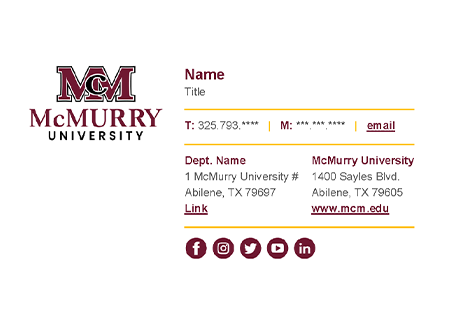
An email signature is a tool to share our basic contact information — and more importantly, let our recipients know we are connected to and communicating on behalf of McMurry University. Our template helps standardize email signatures across the university and better align them with the McMurry brand.

To personalize your email signature and apply it to your email client, follow these steps:

  1. Click the image below to download and open the McMurry email signature template in Word.
  2. Add your full name, job title, and contact information. Make any necessary adjustments to spacing and alignment, but do not change colors or fonts.
  3. Select and copy your personalized signature.
  4. Open Outlook.
  5. Go to “File > Options > Mail > Signatures”.
  6. Click “New” to create a new signature.
  7. Name your signature.
  8. Paste the designed signature from your Word document into the editing box.
  9. Select “Save” to apply your new branded signature.
    Email Signature


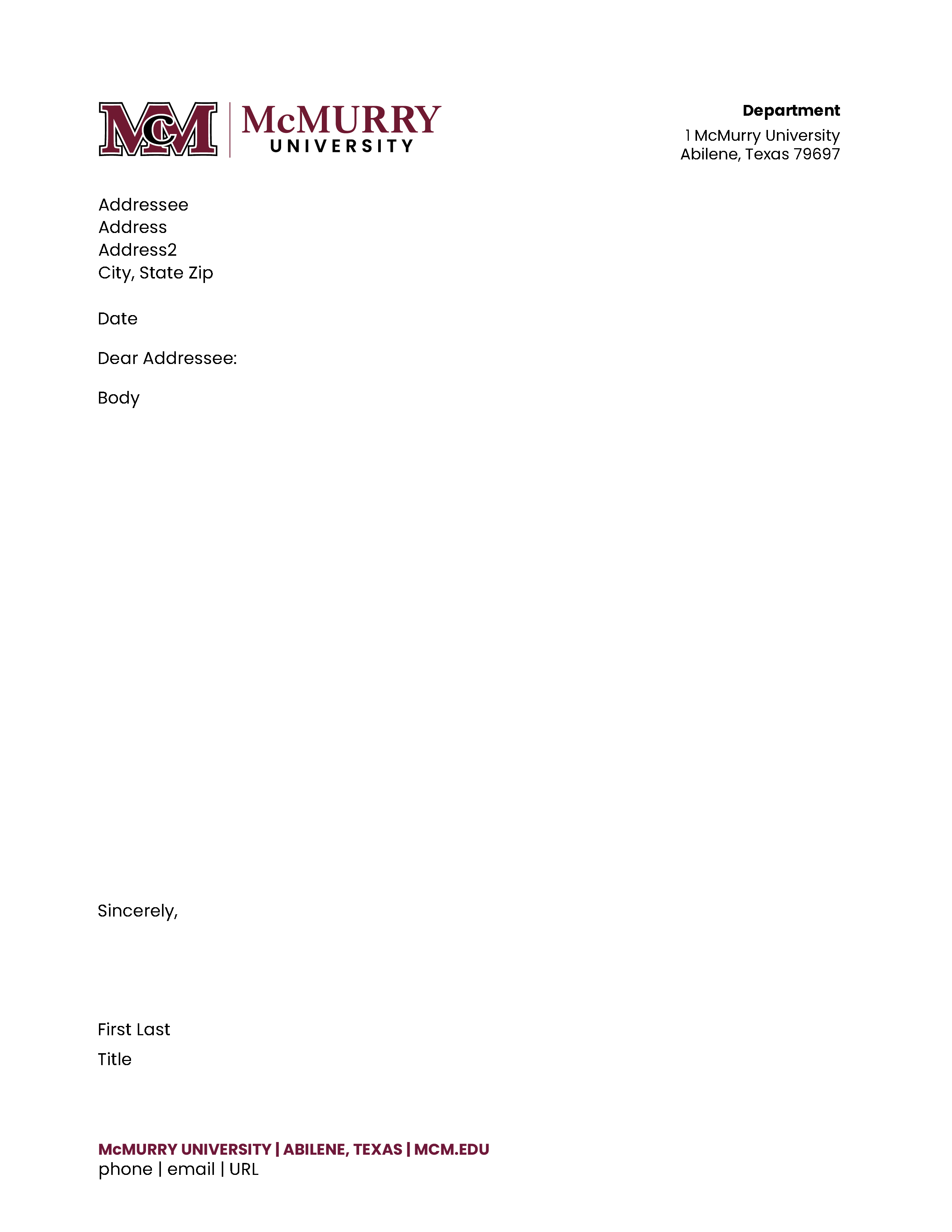
Our electronic letterhead template is available for creating official university communications for a non-printed, digital application. After you’ve added your own body copy, you may save it as a PDF or Word document to share with others.

The template uses the Poppins font. Arial or Garamond may be used as a substitute font.

Please note:

The electronic letterhead is not a replacement for the official printed McMurry letterhead. All academic and administrative units should use the official printed McMurry letterhead and envelopes for printed purposes. You may purchase these items through the McMurry Print Shop.

Click on the image to download

Letterhead template Sample

Primary Colors

Pantone: PMS 7421C

CMYK: C36 / M96 / Y65 / K43

RGB: R111 / G24 / B49

HEX: #6F1830

Pantone: PMS Black

CMYK: C0 / M0 / Y0 / K100

RGB: R0 / G0 / B0

HEX: #000000

Pantone: PMS 663C

CMYK: C3 / M2 / Y2 / K0

RGB: R244 / G244 / B244

HEX: F5F5F5

Pantone: PMS 000C

CMYK: C0 / M0 / Y0 / K0

RGB: R255 / G255 / B255

HEX: FFFFFF

Accent Colors

Pantone: PMS 4102C

CMYK: C40 / M93 / Y68 / K59

RGB: R86 / G12 / B36

HEX: #560C20

Pantone: PMS 132C

CMYK: C32 / M55 / Y100 / K16

RGB: R159 / G108 / B2

HEX: 9F6C02

Pantone: PMS 7551C

CMYK: C26 / M52 / Y100 / K8

RGB: R180 / G124 / B43

HEX: B57A04

Pantone: PMS 315C

CMYK: C91 / M49 / Y39 / K13

RGB: R9 / G102 / B124

HEX: 09667C

Poppins

Poppins Font

Garamond

Garamond sm

This link outlines the regulations for posting printed publicity on campus bulletin boards, such as signs, flyers, posters, notices, and advertisements. These guidelines ensure that all posted materials comply with university standards and benefit the community.

Campus Posting Guidelines

Strategic Communications & Marketing Staff

Contact Information:

Email: marketing@mcm.edu

Phone: 325-793-4605

Location: Old Main | Rm 106

Mrs.
Katelyn Scott '97 Associate Vice President of Strategic Communications and Marketing


Brand Resources
Marketing Request Form

Mrs.
Leah Bennett Director of Integrated Communications
Brand Resources
Marketing Request Form

Mr.
Christopher Bartlett '18 Senior Content Specialist
Brand Resources
Marketing Request Form

Mr.
Abraham Salazar '21 Web Manager
Brand Resources
Marketing Request Form

Ms.
Juliana Fabrizio '20 Content Specialist
Brand Resources
Marketing Request Form

Mr.
Jonathan Ramirez Digital Media Specialist
Brand Resources
Marketing Request Form

Mrs.
Cameo Splain '21 Graphic Designer
Brand Resources
Marketing Request Form